Building a Coding Agent from Scratch: What's Really Under the Hood
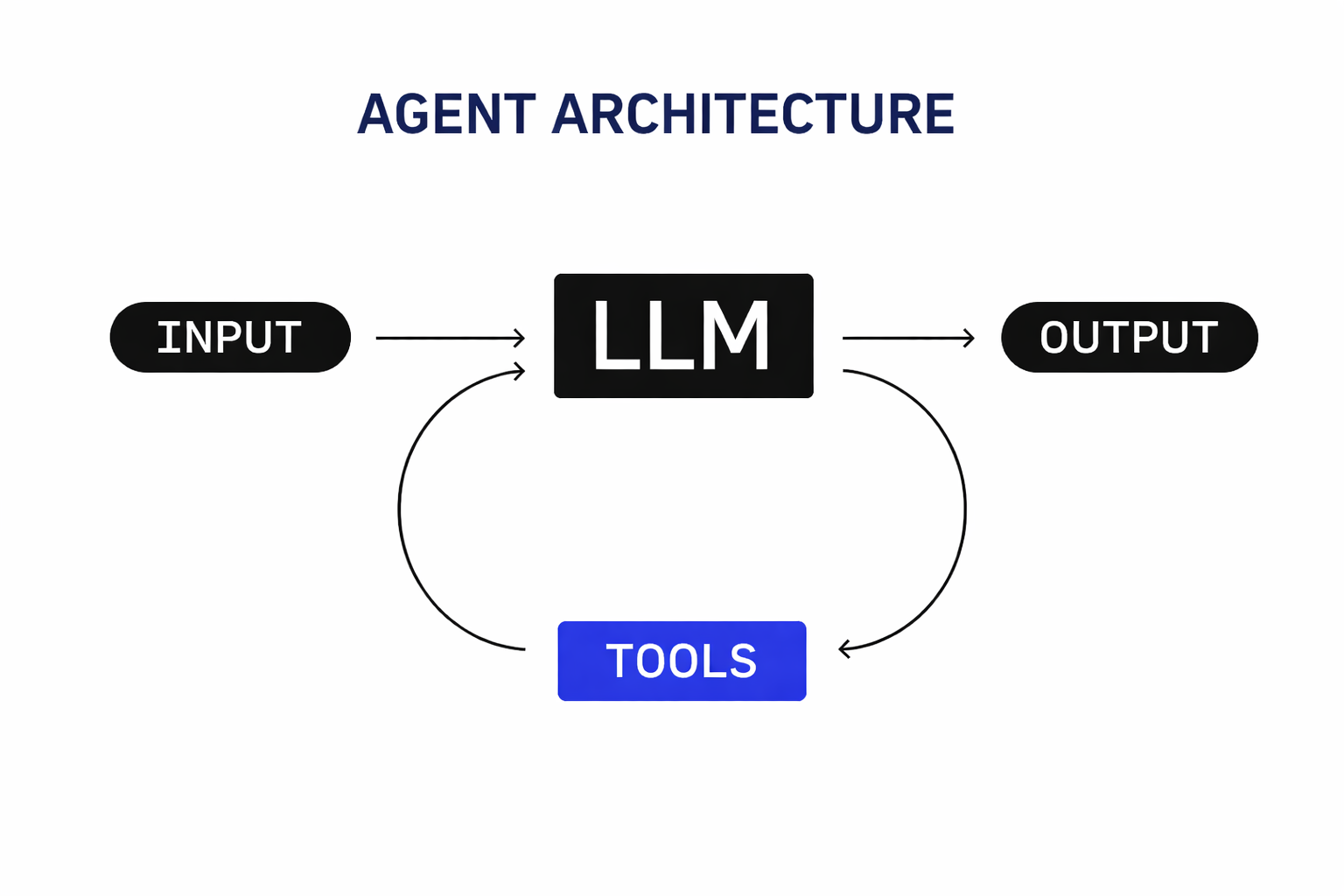
I’ve heard people say that agents like Claude Code or Codex are “just wrappers around an LLM.”
If you oversimplify things, yeah, that’s not entirely wrong, kind of like saying software development is just input -> processing -> output, IYKWIM.
In practice, there’s a lot more engineering behind it.
You need to:
- provide tools the agent can actually use
- manage context - the right information, at the right time, across interactions
- orchestrate all of this in a reliable way
That’s where SDKs, frameworks, and agent runtimes can help. I’m part of the team building Agentspan, and through both developing it and using it, I’ve learned a lot. This post walks through an example I found particularly interesting, one that brings together several of the things I’ve been working on.
In this post, I’ll walk through one of my contributions: a durable coding assistant REPL (inspired by tools like Claude Code), built with Agentspan (powered by Conductor OSS).
Note: This isn’t meant to be a production-ready coding agent. But it is a concrete, working example that shows what’s going on under the hood and how you can build something similar yourself.
The Agent Loop: Defining Tools and Behavior
Every agent follows the same pattern: receive input, decide, act, repeat. Here’s the full agent definition for our coding agent:
def build_agent(working_dir: str, shell_timeout: int = 120) -> Agent:
    receive_message = wait_for_message_tool(
        name="wait_for_message",
        description="Wait for the next user message. Payload has a 'text' field.",
    )

    @tool
    def read_file(path: str) -> str:
        """Read a file and return its text contents."""
        target = Path(path) if os.path.isabs(path) else Path(working_dir) / path
        if not target.exists():
            return f"Error: {path!r} does not exist."
        try:
            return target.read_text()
        except Exception as exc:
            return f"Error reading {path!r}: {exc}"

    @tool
    def write_file(path: str, content: str) -> str:
        """Create or overwrite a file."""
        target = Path(path) if os.path.isabs(path) else Path(working_dir) / path
        target.parent.mkdir(parents=True, exist_ok=True)
        target.write_text(content)
        return f"Wrote {len(content)} chars to {target}"

    @tool
    def run_shell(command: str) -> str:
        """Run a shell command in the working directory."""
        proc = subprocess.run(
            command, shell=True, cwd=working_dir,
            capture_output=True, text=True, timeout=shell_timeout,
        )
        return f"[exit {proc.returncode}]\n{(proc.stdout + proc.stderr).strip()}"

    @tool
    def reply_to_user(message: str) -> str:
        """Send your response to the user."""
        return "ok"

    return Agent(
        name="coding_agent",
        model="gpt-4.1",
        tools=[
            receive_message, read_file, write_file,
            run_shell, reply_to_user,
        ],
        max_turns=100_000,
        stateful=True,
        instructions=f"""You are a coding assistant with filesystem and shell access.
Working directory: {working_dir}

Repeat indefinitely:
1. Call wait_for_message to receive the next task.
2. Explore, read, modify, and run as needed.
3. Call reply_to_user with a concise summary.
4. Return to step 1.
""",
    )
Let’s unpack what each piece does.
@tool decorator. The SDK inspects the function’s signature, docstring, and type hints, then registers it with Conductor as a task definition. At runtime, a worker thread polls the server, picks up the task, and executes the function. From the LLM’s perspective, it’s just a callable tool with a name and parameters.
wait_for_message_tool(). It creates a PULL_WORKFLOW_MESSAGES task, a server-side task that blocks until a message arrives in the workflow’s message queue. Unlike regular tools, this one doesn’t need a worker. The server handles it.
stateful=True. The SDK generates a unique UUID run_id for this execution. Workers register under domain=run_id. The server uses task-to-domain mapping to route all tasks for this execution to the correct worker pool. Multiple concurrent sessions are fully isolated.
max_turns=100_000. Each LLM decision -> tool call -> result counts as one turn. Setting this high means the agent loops effectively forever, which is what you want for a REPL.
Starting and Streaming Events
Once you’ve built the agent, starting it is straightforward:
runtime = AgentRuntime()
agent = build_agent("/path/to/project")
handle = runtime.start(agent, "Begin.")
execution_id = handle.execution_id
runtime.start() compiles the agent to a Conductor workflow, registers it on the server, and kicks off execution. The returned handle gives you the execution ID and an event stream.
Here’s how you would consume events:
for event in handle.stream():
    if event.type == EventType.WAITING:
        # Agent is blocked on wait_for_message - prompt user
        user_input = input("You: ")
        runtime.send_message(execution_id, {"text": user_input})
    elif event.type == EventType.TOOL_CALL:
        print(f"Tool: {event.name}({event.input})")
    elif event.type == EventType.TOOL_RESULT:
        print(f"Result: {event.result[:200]}")
    elif event.type == EventType.THINKING:
        print(f"Thinking: {event.content}")
    elif event.type == EventType.DONE:
        print(f"Finished: {event.output}")
        break
    elif event.type == EventType.ERROR:
        print(f"Error: {event.message}")
        break
The event stream is an SSE (Server-Sent Events) connection. The server emits events as they happen:
| Event | Meaning |
|---|---|
WAITING | Agent called wait_for_message, blocked on WMQ |
TOOL_CALL | LLM decided to call a tool |
TOOL_RESULT | Tool returned a result |
THINKING | LLM is processing |
DONE | Execution finished |
ERROR | Something went wrong |
This is what the terminal client looks like once that loop is running: the session stays attached to a single execution, shows the agent’s response in place, and then waits for the next user message.
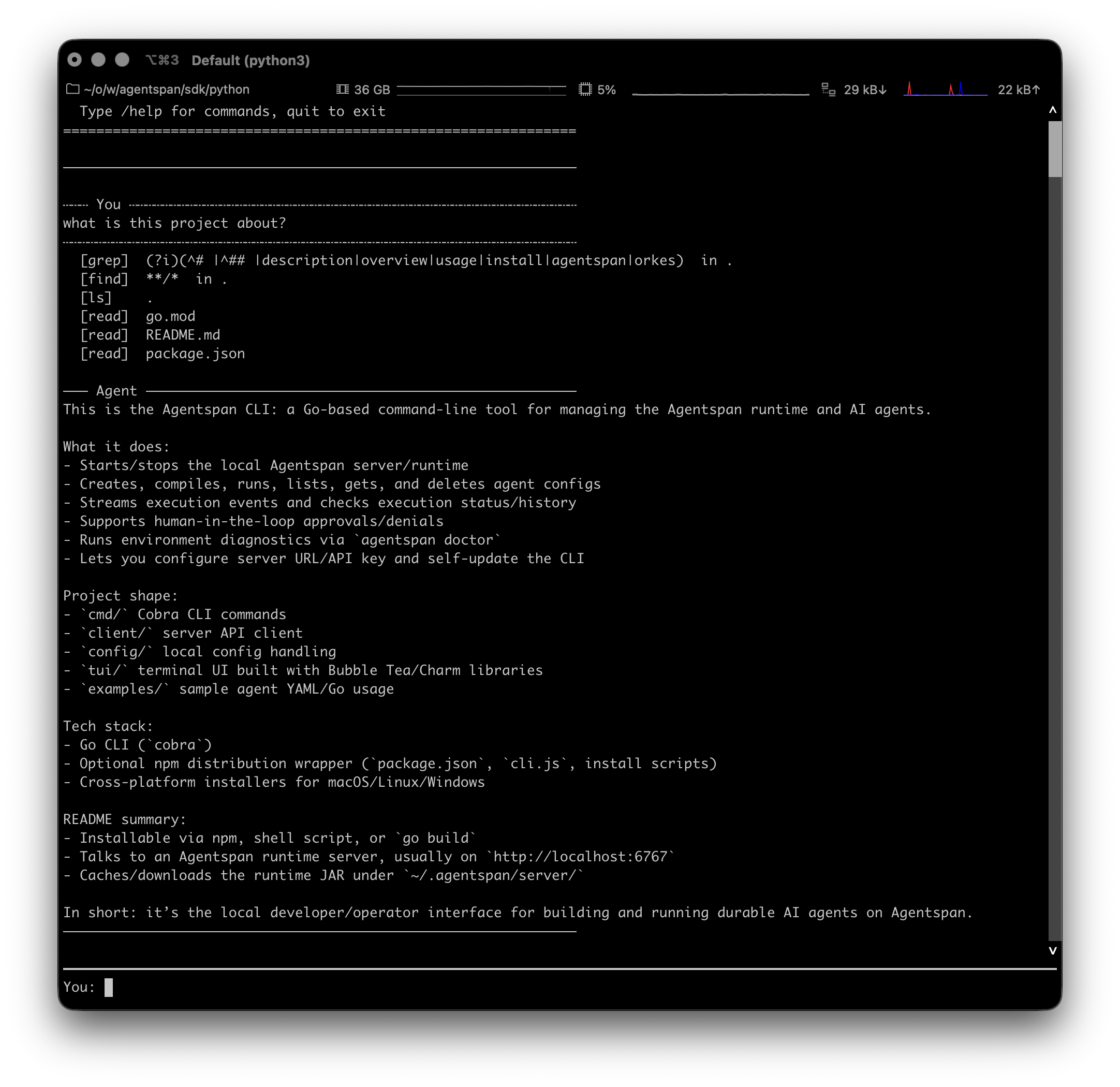
The coding agent REPL after inspecting a local repository. The client remains connected to the live event stream and prompts for the next input when the workflow reaches WAITING.
The Workflow Message Queue
This is the core of the interactive pattern. When you call:
runtime.send_message(execution_id, {"text": "implement a login function"})
The SDK makes an HTTP POST to the server. The message goes into a Workflow Message Queue - a durable, per-workflow queue stored in the Conductor database.
On the agent side, the PULL_WORKFLOW_MESSAGES task is blocking on the server. When a message arrives, the task completes, the LLM receives the message in its context, and the loop continues.
WMQ is still a work in progress. The default storage is in-memory. We’re adding a SQLite-backed option for local dev environments soon; production deployments should use Redis.
Signals: Mid-Task Context Injection
Messages go through the queue and are consumed by wait_for_message. But what if you want to inject context right now, without waiting for the agent to finish its current task?
runtime.signal(execution_id, "Focus only on the auth module")
A signal sets a workflow variable on the server. The agent sees it on the next LLM turn, not the next wait_for_message. This means:
- Agent is analyzing 500 files
- You signal: “focus only on auth”
- Agent finishes the current file read
- Next LLM turn sees
[SIGNALS]Focus only on the auth module[/SIGNALS] - Agent adjusts behavior immediately
No interruption. No lost state. No waiting for the current task to finish.
Use signals for course correction, runtime hints, or emergency instructions. Use messages for new user input.
The Threading Model
The REPL needs two threads. Here’s why: the SSE connection must stay open for the entire session. If it disconnects and reconnects, the server replays events from the last checkpoint, which breaks WAITING semantics (you’d see a stale WAITING event and prompt the user again).
import queue
import threading

_event_queue: queue.Queue = queue.Queue()

def _stream_events():
    """Stream thread: one long-lived SSE connection."""
    for event in handle.stream():
        _event_queue.put(event)

threading.Thread(target=_stream_events, daemon=True).start()

# Main thread: consume events and handle user input
while True:
    event = _event_queue.get()

    if event.type == EventType.WAITING:
        # Inner loop: prompt until user sends a message
        # (commands like /help re-prompt without waiting)
        while True:
            raw = input("You: ").strip()
            if not raw:
                continue
            if raw.lower().startswith("/signal "):
                runtime.signal(execution_id, raw[8:].strip())
                print("  Signal injected.")
                continue
            if raw.lower() in ("quit", "exit"):
                handle.stop()
                break
            runtime.send_message(execution_id, {"text": raw})
            break

    elif event.type == EventType.DONE:
        print("Session ended.")
        break

    else:
        _display_event(event)
Stream thread: Opens the SSE connection once. Pushes every event into a thread-safe queue. Runs as a daemon and exits when the main thread exits.
Main thread: Consumes events from the local queue (this is a Python queue.Queue in the client process - nothing to do with the server-side WMQ). When WAITING fires, it drops into an input loop. When the user types a message, it sends it to the server via send_message and breaks out of the inner loop to resume consuming events.
Background Process Tools
The basic agent runs shell commands synchronously. But what if the agent needs to start a dev server, run tests against it, and check logs, all without blocking?
The TUI version adds background process management:
@dataclass
class BgProcess:
    id: int
    command: str
    proc: subprocess.Popen
    buffer: list = field(default_factory=list)
    lock: threading.Lock = field(default_factory=threading.Lock)
    _read_pos: int = field(default=0, repr=False)

@tool
def run_background(command: str) -> str:
    """Start a long-running process in the background. Returns immediately."""
    proc = subprocess.Popen(
        command, shell=True, cwd=working_dir,
        stdout=subprocess.PIPE, stderr=subprocess.STDOUT, text=True,
    )
    bg = BgProcess(id=next_id(), command=command, proc=proc)
    _bg_processes[bg.id] = bg

    # Reader thread captures output without blocking the tool
    def _read():
        for line in proc.stdout:
            with bg.lock:
                bg.buffer.append(line)
    threading.Thread(target=_read, daemon=True).start()

    return f"[bg:{bg.id}] Started: {command} (PID {proc.pid})"

@tool
def check_process(id: int) -> str:
    """Get new output from a background process since last check."""
    bg = _bg_processes.get(id)
    if bg is None:
        return f"Error: no background process with id {id}."
    with bg.lock:
        new_lines = bg.buffer[bg._read_pos:]
        bg._read_pos = len(bg.buffer)
    status = "running" if bg.proc.poll() is None else f"exited (code {bg.proc.returncode})"
    output = "".join(new_lines).strip()
    if output:
        return f"[bg:{id}] {status}\n{output}"
    return f"[bg:{id}] {status} (no new output)"

@tool
def stop_process(id: int) -> str:
    """Terminate a background process. SIGTERM, then SIGKILL after 5s."""
    bg = _bg_processes.get(id)
    if bg is None:
        return f"Error: no background process with id {id}."
    bg.proc.terminate()
    try:
        bg.proc.wait(timeout=5)
    except subprocess.TimeoutExpired:
        bg.proc.kill()
        bg.proc.wait(timeout=2)
    return f"[bg:{id}] stopped (code {bg.proc.returncode})"
The pattern: run_background spawns a process and returns immediately. A daemon thread reads output into a buffer. check_process returns new output since the last check. stop_process does graceful termination.
The LLM uses these naturally: “start the dev server in the background, then run the tests, then check the server for errors.”
Resuming an Agent
The execution ID is saved to a session file so the client can reconnect to an existing agent via runtime.resume(execution_id, agent). This re-registers the tool workers under the same domain and returns a new AgentHandle with a fresh event stream. The agent picks up exactly where it left off, with full conversation history and state intact.
The Bottom Line
Agentspan handles durability, session isolation, message queuing, event streaming, and resume so you can focus on the agent logic: what tools to give it, what instructions to write, what signals to send.
The simple REPL version is about 540 lines of Python; the TUI version is around 780. The framework handles the rest. Check out the PR. Honestly, it was fun to build. I hope you find it useful.