Add Human Approval Checkpoints to Agentspan Workflows

This walkthrough shows a simple approval-gated workflow in Agentspan: an agent reviews a production change, pauses before a rollout tool call, and then resumes the same execution after a human approves it. The example is small, but the pattern is the one you use for higher-risk actions such as production changes, publishing, or financial operations.
What is Agentspan?
Agentspan is an execution layer for AI agents. You define agents in Python, the SDK compiles that definition into a server-side workflow, and the run becomes visible in the UI with durable execution state, tool history, and step-by-step status. The quickstart and human-in-the-loop example show the basic setup, but the key architectural point is simple: the workflow state lives on the server, not inside the worker process that happened to start the run.
That is useful for approval checkpoints. A tool can require review, the workflow can pause under the same execution_id, and the run can continue after approval without being restarted. The example below was tested against agentspan==0.1.3 with a local server started by agentspan server start.
What we are building
This walkthrough uses a production change workflow. The agent gathers rollout context, decides whether the change looks safe, and pauses for review before it calls the tool that performs the rollout.
Install and start Agentspan
If you are starting from a clean environment, the smallest setup is:
pip install agentspan==0.1.3
agentspan server start
That gives you a local API and UI at http://localhost:6767. From there, the quickstart covers the basic runtime model, and this walkthrough adds the approval checkpoint on top.
Define the approval point
from agentspan.agents import Agent, AgentRuntime, tool

@tool
def get_rollout_context(change_id: str) -> dict:
    return {"service": "checkout-api", "risk": "medium", "blast_radius": "10% canary"}

@tool(approval_required=True)
def execute_rollout(change_id: str, rollout_plan: str, reason: str) -> dict:
    return {"status": "rolled_out", "change_id": change_id}

agent = Agent(
    name="prod_change_demo",
    model="openai/gpt-4o-mini",
    tools=[get_rollout_context, execute_rollout],
    instructions=(
        "Review the change context. If it looks safe, call execute_rollout "
        "with a short rollout plan and a short reason."
    ),
)
The important line is @tool(approval_required=True). In practice, the flow is deploy, serve, and start: register the definition on the server, keep the worker alive separately, and create executions by name. When the agent reaches execute_rollout, the workflow moves into a waiting state.
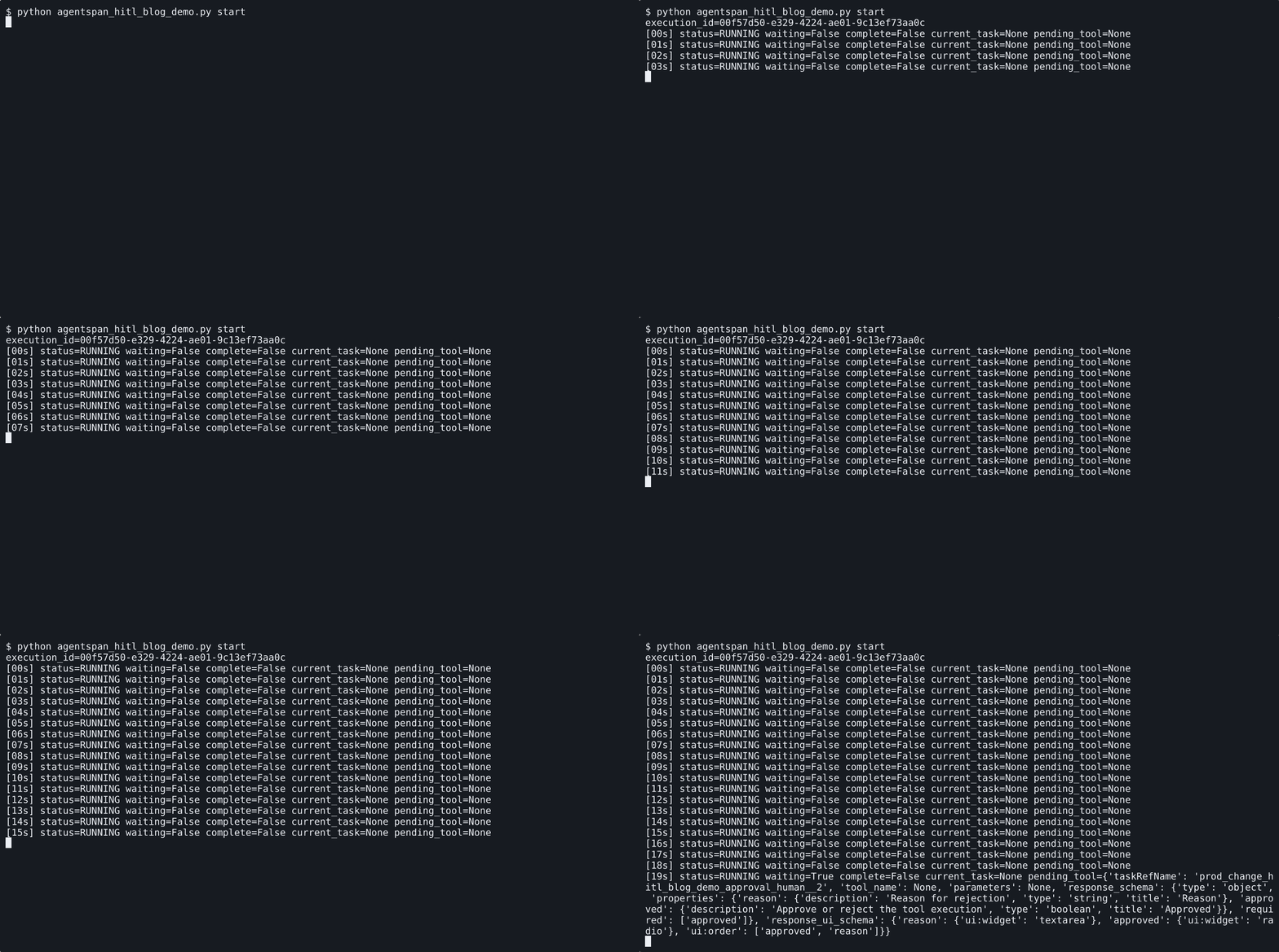
The execution is created first, then pauses when the approval-required tool is reached.
Inspect the waiting run
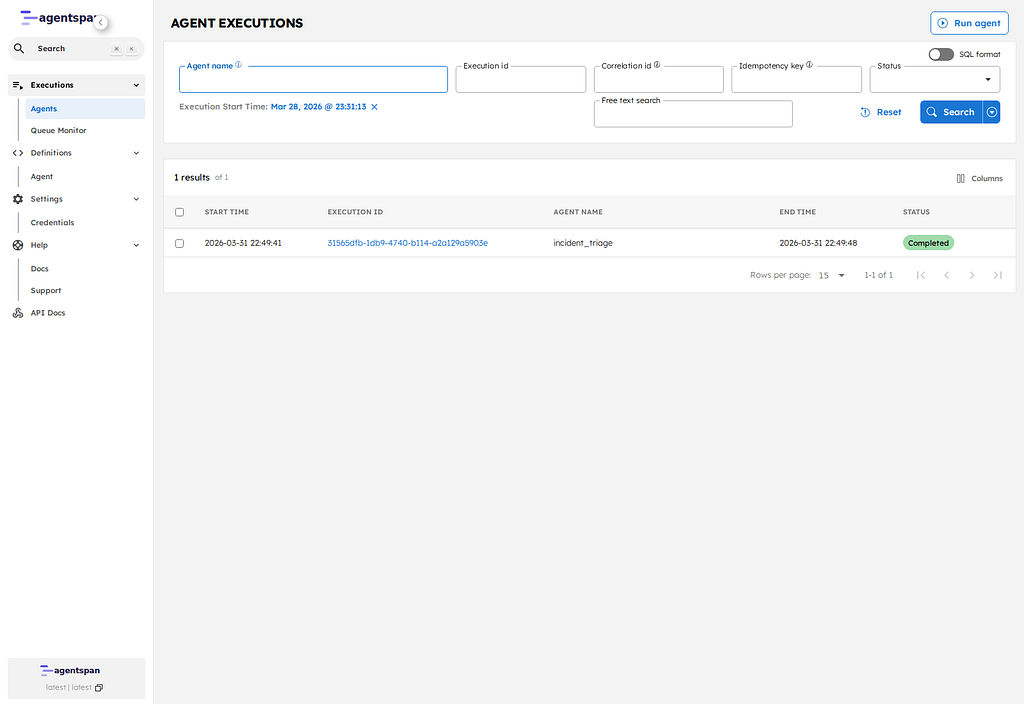
The waiting run is already visible in the UI. The review step is part of the same workflow instance, so the reviewer is looking at the live execution rather than creating a second run for approval.

The UI shows the same execution in a waiting state before any approval happens.
Resume after approval
Once the reviewer approves, the workflow continues from the approval step and completes normally:
with AgentRuntime() as runtime:
    runtime.deploy(agent)
    handle = runtime.start(agent.name, "Review change CHG-901 and execute if safe.")
    if handle.get_status().is_waiting:
        handle.approve()
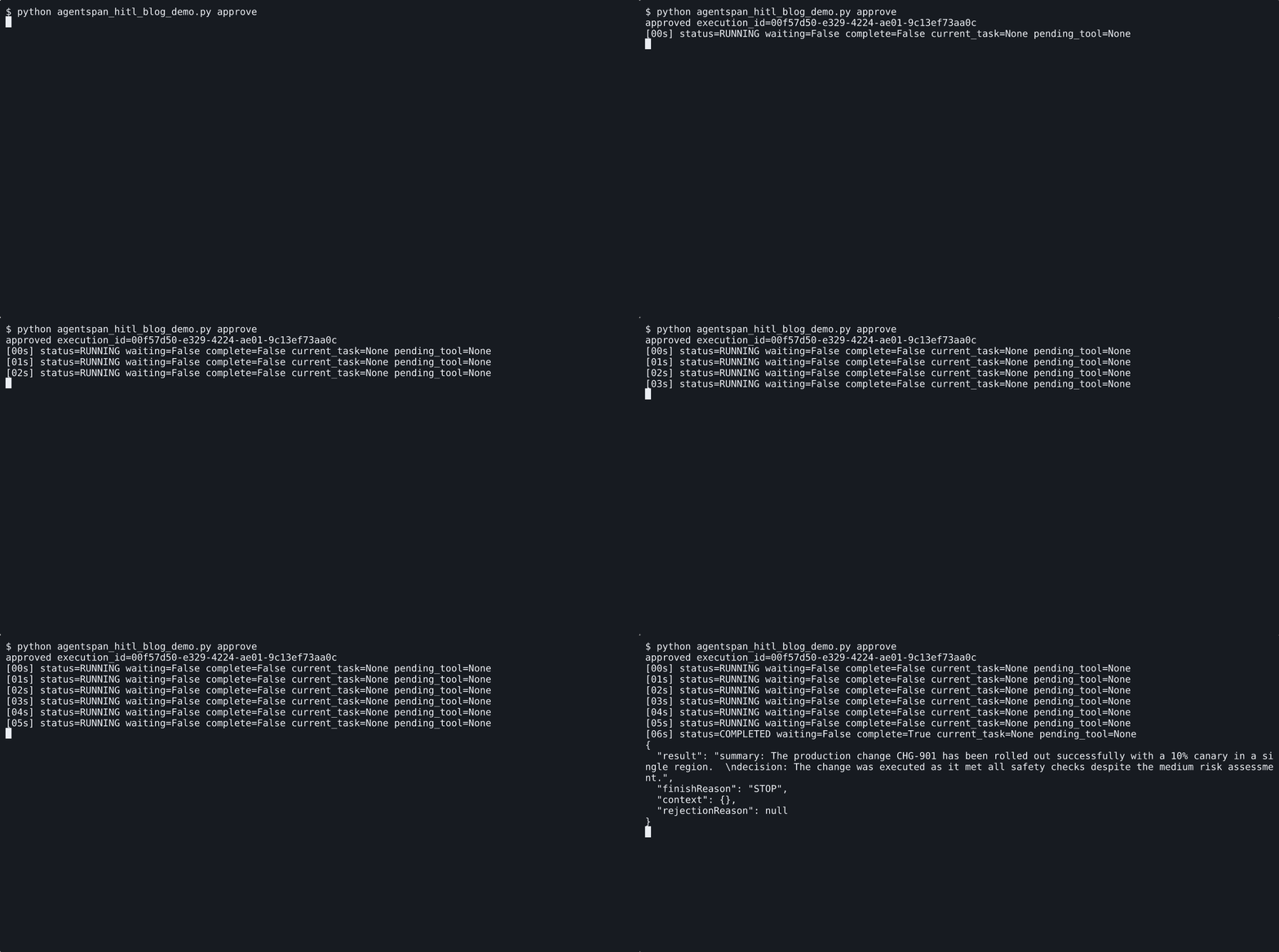
A reviewer approves the waiting tool call without creating a second execution.

The UI later shows that same execution as completed under the original ID.
The practical value is that the approval gate is durable, visible, and attached to the same execution before and after review. That makes it useful for production changes, publishing, refunds, or any tool call that should wait for a human decision without losing state.