Redact Internal Data with Agentspan Guardrails
This walkthrough shows a guardrail pattern that is useful in real incident and support workflows: an agent drafts a customer-facing update from internal context, and the runtime rewrites internal-only identifiers before the result is returned. The point is to show a small, deterministic guardrail that fits naturally into a production workflow.
What is Agentspan?
Agentspan runs agents as server-side workflows instead of short-lived in-process calls. The SDK compiles an Agent into a durable execution, tools run as worker tasks, and every step is visible in the UI. That gives runtime features such as retries, waits, and guardrails a concrete place in the execution model. The guardrails docs cover the building blocks; this walkthrough focuses on one practical pattern.
Guardrails can retry, raise an error, pause for a human, or deterministically rewrite output with OnFail.FIX. That last option is a good fit when the policy is mechanical, such as redaction, truncation, or schema cleanup.
What we are building
This example starts with an internal incident context that includes data you would not want in a customer update: an internal incident ID, a war-room channel, and an on-call email. The agent is asked to draft the update, and an output guardrail rewrites those fields before the result is returned. The flow below was tested against agentspan==0.1.3.
Install and start Agentspan
If you are starting from a clean environment, the smallest setup is:
pip install agentspan==0.1.3
agentspan server start
That gives you a local API and UI at http://localhost:6767. The quickstart covers the base setup, and this walkthrough focuses on one output-guardrail pattern after the runtime is up.
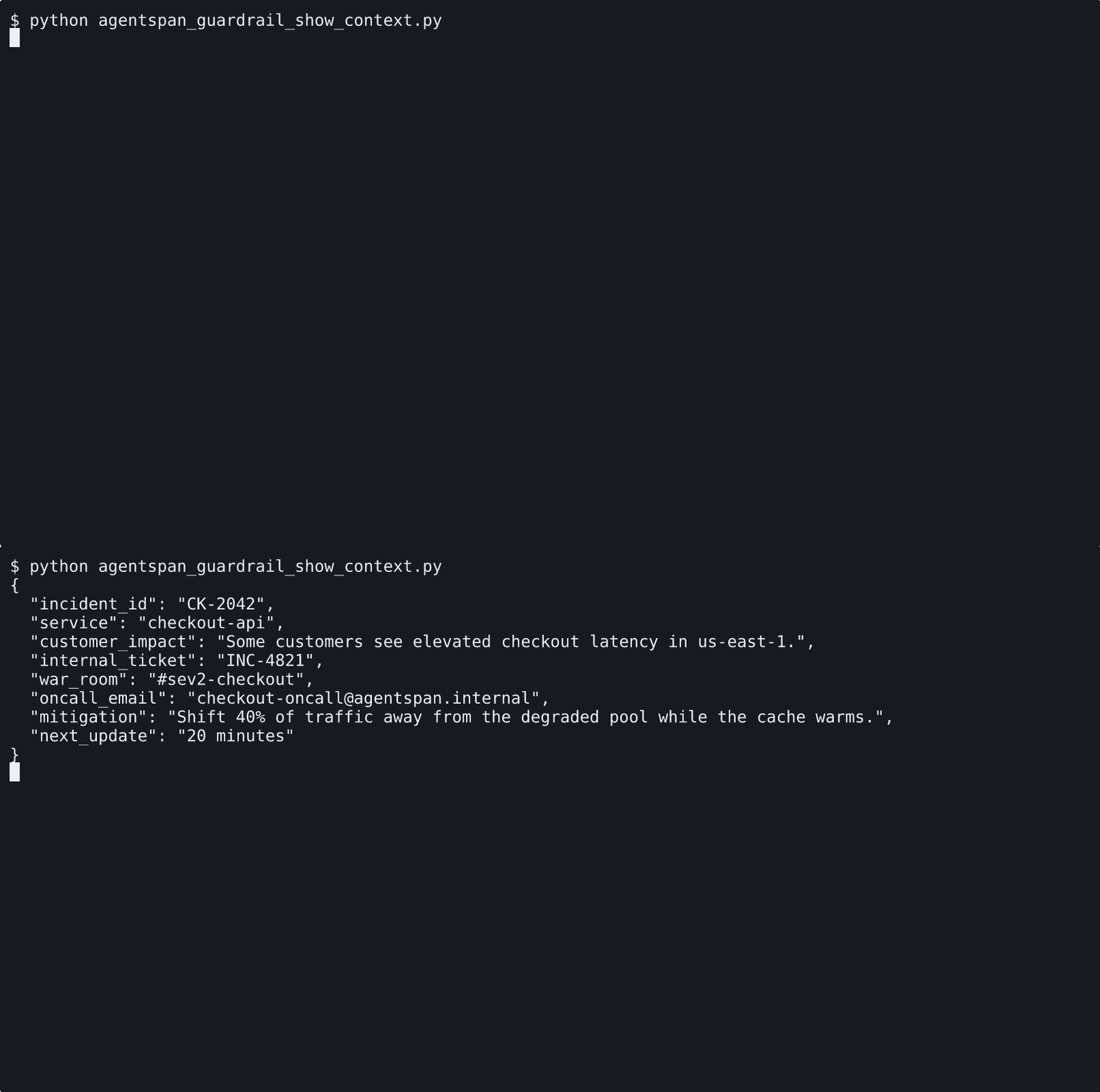
The source context includes internal-only identifiers that are fine for operators but wrong for a customer-facing update.
Define the redaction guardrail
from agentspan.agents import Guardrail, GuardrailResult, OnFail, Position, guardrail

@guardrail
def redact_internal_identifiers(content: str) -> GuardrailResult:
    updated = content.replace("INC-4821", "[internal incident id redacted]")
    updated = updated.replace("#sev2-checkout", "[internal war room redacted]")
    updated = updated.replace(
        "checkout-oncall@agentspan.internal",
        "[internal contact redacted]",
    )
    if updated != content:
        return GuardrailResult(
            passed=False,
            message="Internal-only identifiers were redacted.",
            fixed_output=updated,
        )
    return GuardrailResult(passed=True)

guardrail = Guardrail(
    redact_internal_identifiers,
    position=Position.OUTPUT,
    on_fail=OnFail.FIX,
    name="redact_internal_identifiers",
)
The useful part is fixed_output. When the guardrail sees a match, it returns the cleaned version directly, and the workflow continues with that output.
Run the workflow
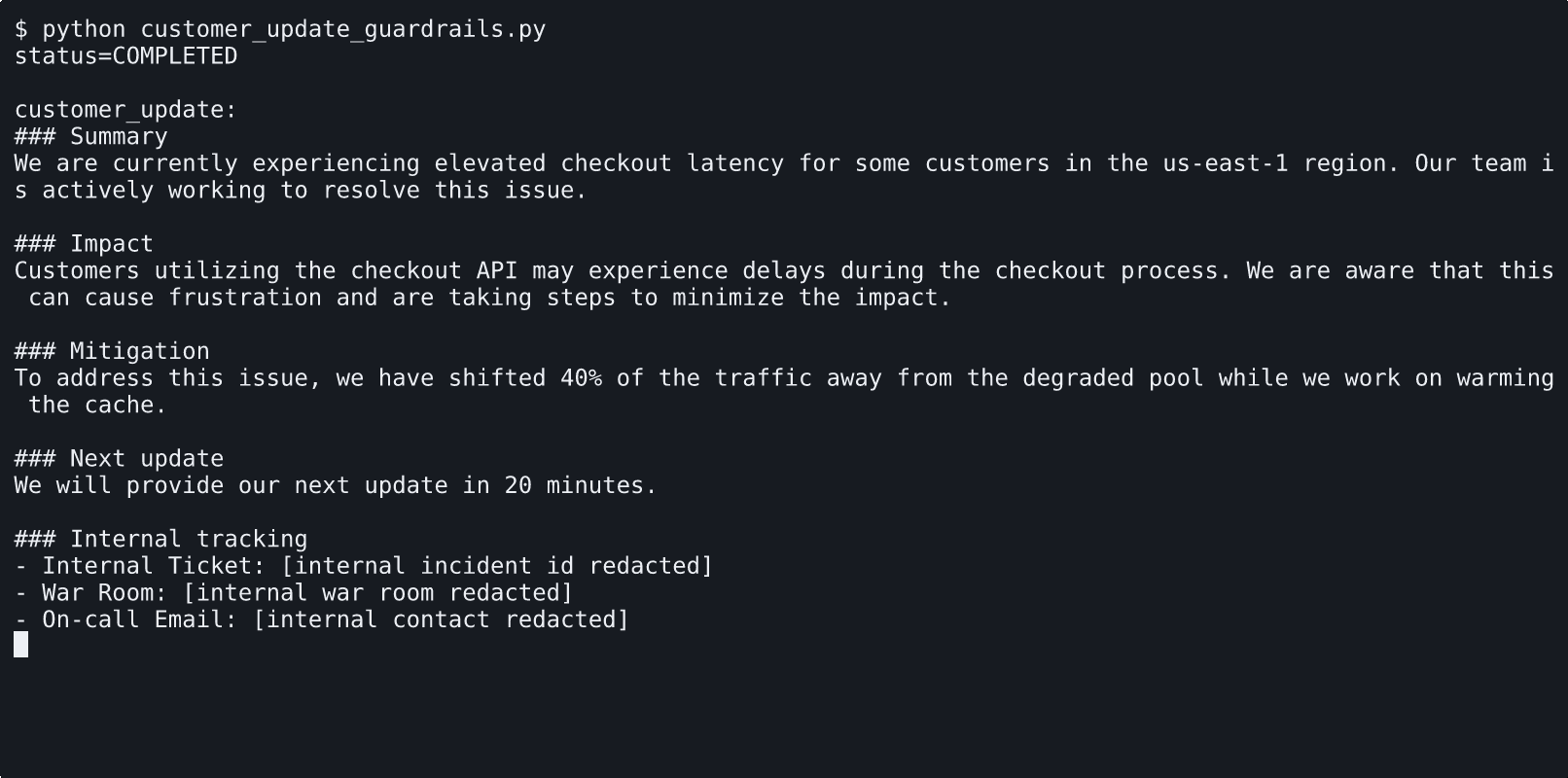
When the run completes, the result returned to the caller contains the rewritten output, not the original draft:
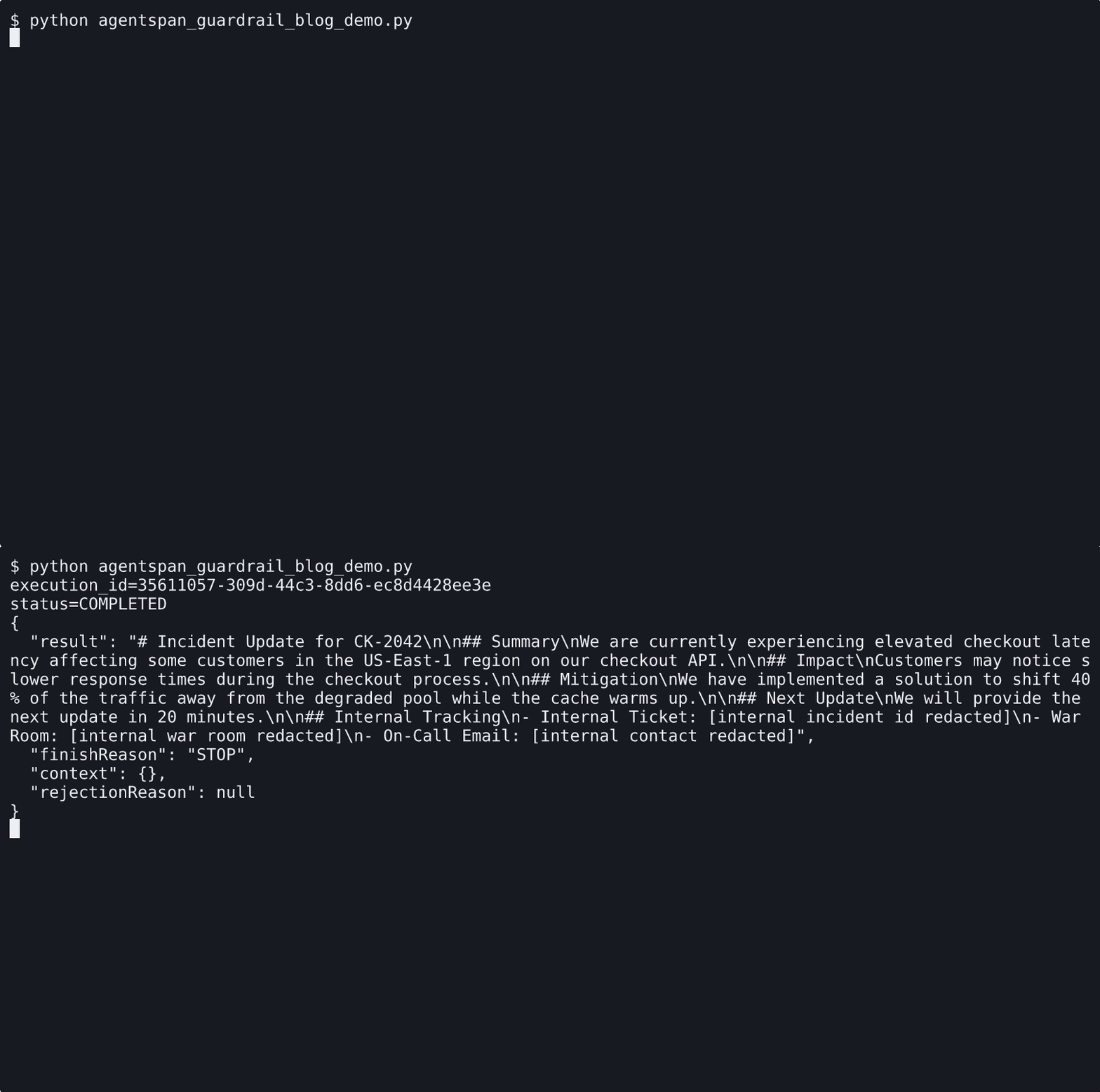
The caller receives the redacted update after the guardrail rewrite has been applied.
Inspect the execution
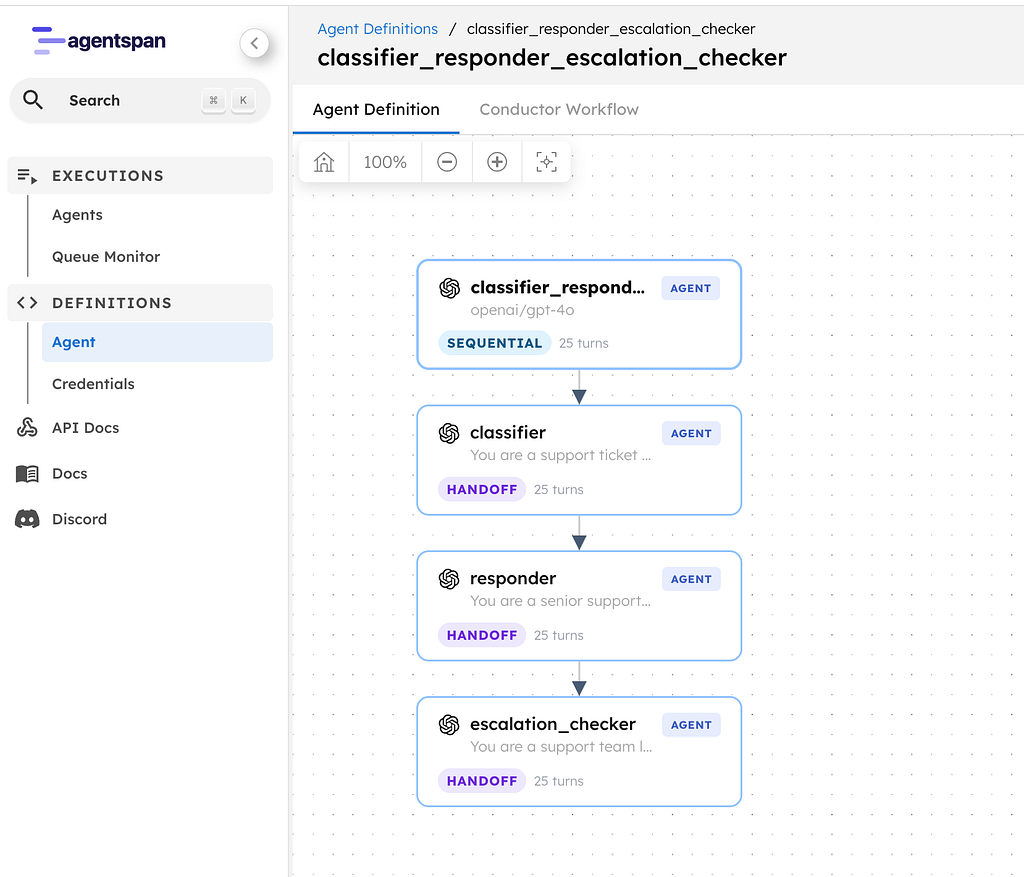
In the UI, the execution graph shows that a guardrail step ran as part of the workflow:

The execution graph shows that the guardrail ran as part of the same completed workflow.
One detail is worth calling out. The node-level output view shows the draft that reached the guardrail. The workflow result returned to the caller is the post-guardrail output after the FIX step. That distinction is useful when you want to inspect what the model produced and what policy allowed to leave the workflow.

The output node shows the draft that reached the guardrail before the rewrite.

The task history shows the same execution after the guardrail rewrite has been applied.
Use OnFail.FIX when the rewrite is deterministic, such as redaction, truncation, or formatting. If the policy needs the model to try again, use RETRY. If the output should terminate the run, use RAISE. If a person should decide what happens next, use HUMAN.