See Inside Your Agent: Real-Time Streaming with Agentspan
When you call run() in Agentspan, execution blocks until completion and hands you a single result. You get the answer, but nothing in between — no reasoning, no tool selections, no clue what the agent was thinking when it picked one path over another. That is fine for batch jobs. It is rough when you are debugging a failure, building a progress UI, or watching an agent grind through a long task in silence.
The stream() method fixes that. Instead of waiting for the final result, you receive events as they happen — every reasoning step, every tool invocation, every tool response, and finally the output. Same agent. Same execution. Different visibility.
What is Agentspan?
Agentspan is an orchestration layer for building, bringing, and observing AI agents as durable workflows.
- Build: define agents with the Agentspan SDK using
Agent,@tool, and the eight multi-agent strategies. Agentspan compiles them into server-side workflows that survive crashes. - Bring: if you already use LangGraph, the OpenAI Agents SDK, or Google ADK, you can pass those agents straight to
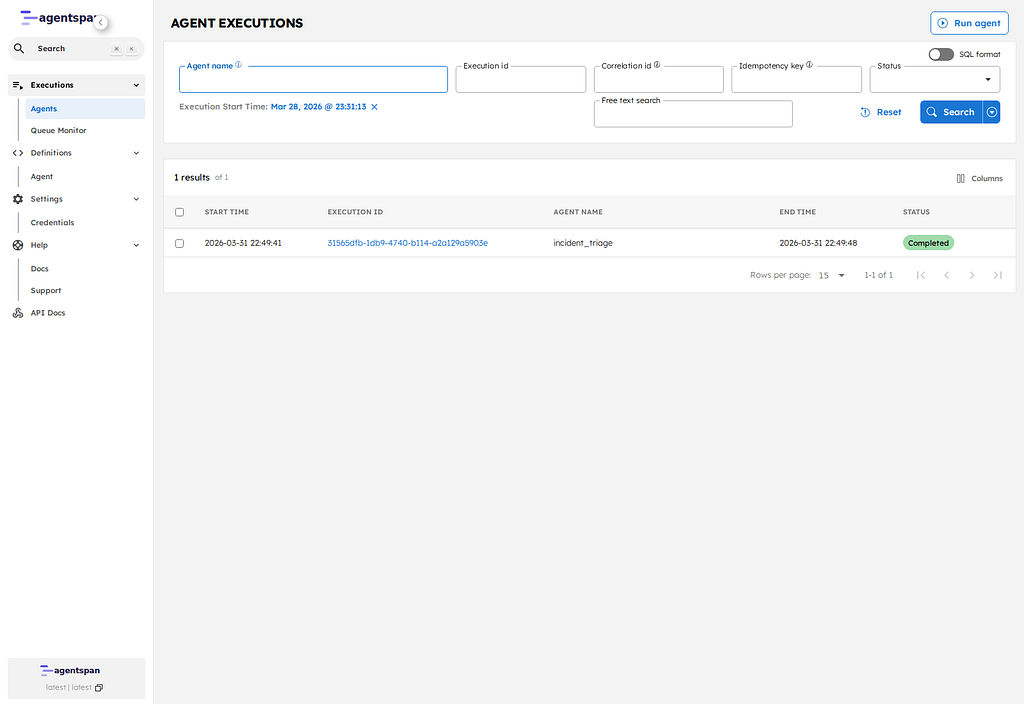
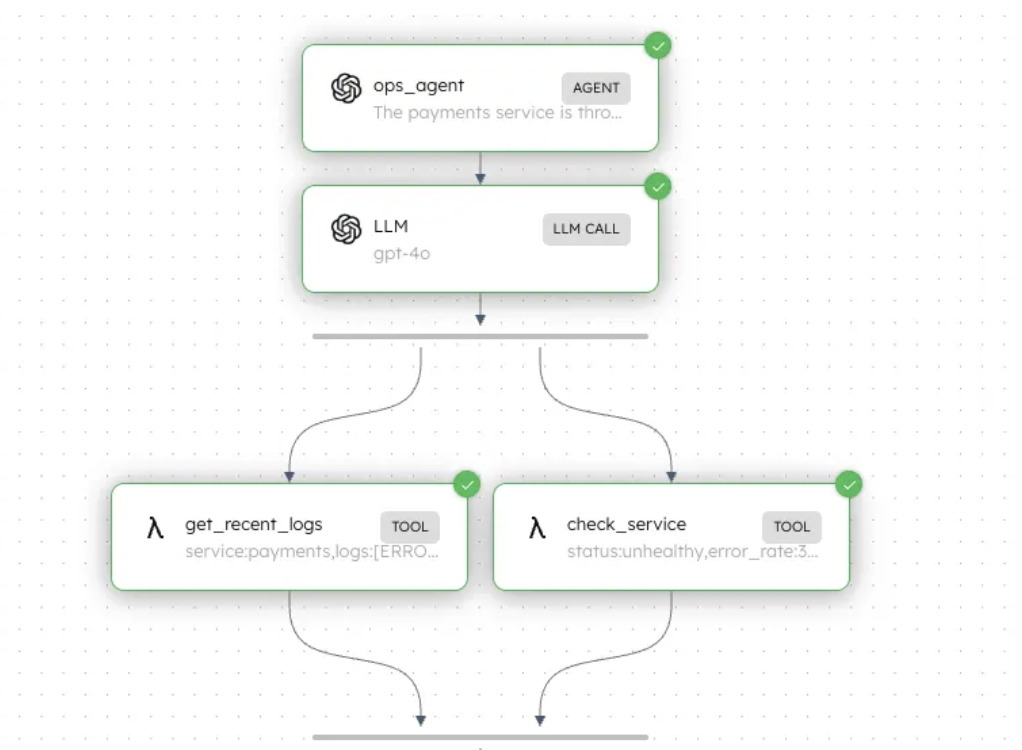
run()and add durability and orchestration on top. - Observe: every execution is inspectable in the dashboard. Agent flows, inputs, outputs, tool calls, token usage, and failures — all there.
Setup
Two commands:
pip install agentspan
agentspan server start
This starts a local Agentspan server with a dashboard at http://localhost:6767.
What we are building
An operations agent investigating a service incident. Three tools:
check_service— reports health and recent error rateget_recent_logs— pulls the last N log linesrestart_service— restarts a service
The same agent runs twice against the same prompt — first with run(), then with stream(). The behavior is identical. Only the visibility changes.
The agent
from agentspan.agents import Agent, AgentHandle, AgentRuntime, EventType, tool


@tool
def check_service(service_name: str) -> dict:
    """Check the health and recent error rate of a service."""
    ...


@tool
def get_recent_logs(service_name: str, lines: int = 20) -> dict:
    """Fetch the most recent log lines for a service."""
    ...


@tool
def restart_service(service_name: str) -> dict:
    """Restart a service."""
    ...


agent = Agent(
    name="ops_agent",
    model="openai/gpt-4o",
    tools=[check_service, get_recent_logs, restart_service],
    instructions=(
        "You are an operations agent investigating a service incident. "
        "Check the affected service, look at recent logs, identify the root cause, "
        "and decide whether to restart. Be methodical — check before you act."
    ),
)
Standard agent with tools. The execution method is what changes.
run() — the black box
with AgentRuntime() as runtime:
    result = runtime.run(
        agent,
        "The payments service is throwing 503s. Investigate and fix it.",
    )
    result.print_result()
Submit the prompt, wait, get a result back. The agent checked services, examined logs, and restarted something — but the intermediate steps are gone.
The payments service was unhealthy with a 34% error rate. Logs showed repeated connection timeouts to database
. The database was degraded with high disk usage (91%) and a slow query queue. I restarted the payments service to clear the connection pool. Root cause: database pressure causing downstream timeouts.
Useful. Opaque.
stream() — see every step
with AgentRuntime() as runtime:
    for event in runtime.stream(
        agent,
        "The payments service is throwing 503s. Investigate and fix it.",
    ):
        if event.type == EventType.THINKING:
            print(f"  [thinking]     {event.content[:120]}")
        elif event.type == EventType.TOOL_CALL:
            print(f"  [tool_call]    {event.tool_name}({event.args})")
        elif event.type == EventType.TOOL_RESULT:
            print(f"  [tool_result]  {event.tool_name} → {str(event.result)[:120]}")
        elif event.type == EventType.DONE:
            print(f"\n  [done]\n{event.output}")
Same agent, same prompt. Now the agent’s reasoning is fully visible:
[thinking]     The payments service is throwing 503s. I should check its
               health first before taking any action.
[tool_call]    check_service({'service_name': 'payments'})
[tool_result]  check_service → {'status': 'unhealthy', 'error_rate': '34%', 'uptime': '2m'}
[thinking]     Payments is unhealthy with a 34% error rate and has only been
               up for 2 minutes. Let me check the recent logs.
[tool_call]    get_recent_logs({'service_name': 'payments'})
[tool_result]  get_recent_logs → {'service': 'payments', 'logs': ['ERROR: connection
               timeout to database:5432', ...]}
[thinking]     The logs show repeated connection timeouts to database:5432.
               The problem might be upstream. Let me check the database.
[tool_call]    check_service({'service_name': 'database'})
[tool_result]  check_service → {'status': 'degraded', 'error_rate': '8%', 'uptime': '6h'}
[tool_call]    get_recent_logs({'service_name': 'database'})
[tool_result]  get_recent_logs → {'service': 'database', 'logs': ['WARN: disk usage
               at 91%', 'WARN: query queue depth: 847', ...]}
[thinking]     Database is degraded — high disk usage and a slow query queue
               are causing connection timeouts upstream. I'll restart payments
               to clear the connection pool.
[tool_call]    restart_service({'service_name': 'payments'})
[tool_result]  restart_service → {'service': 'payments', 'status': 'restarted'}

[done]
Root cause: database pressure (91% disk, slow query queue) caused connection
timeouts in payments. Restarted payments to clear the connection pool.
The full chain of reasoning is visible. The agent followed connection-timeout traces from payments into the database, identified the upstream pressure, and made a deliberate choice to restart payments rather than the database. Nothing is hidden.
The four event types
EventType.THINKING      # LLM reasoning — what the agent is about to do and why
EventType.TOOL_CALL     # agent decided to call a tool: event.tool_name, event.args
EventType.TOOL_RESULT   # tool returned: event.tool_name, event.result
EventType.DONE          # finished: event.output
EventType.WAITING also exists — covered in the human-in-the-loop posts — and fires when an agent pauses for human input.
run() vs stream() vs start()
# run() — blocks, returns the result when done
result = runtime.run(agent, prompt)

# stream() — yields events as the agent executes, blocks until done
for event in runtime.stream(agent, prompt):
    ...

# start() — fire and forget, returns a handle immediately
handle = runtime.start(agent, prompt)

# later:
for event in handle.stream():
    ...
start() plus handle.stream() is the pattern you want when the stream consumer is decoupled from the trigger — for example, an HTTP request kicks off the agent and a WebSocket pushes events to the browser.
When to use streaming
- Debugging — see which decisions the agent is making and why
- Long-running agents — show progress instead of a silent spinner
- Chat and terminal UIs — render thinking indicators and tool activity in real time
- Human-in-the-loop workflows — watch for
EventType.WAITINGand prompt a human - Observability — log every step into your monitoring stack
If you only need the final answer, run() is simpler. If you need to see inside the agent or react to what it is doing, use stream().
How durability works
Streaming does not change how Agentspan handles durability. Execution lives on the server side throughout. If the process consuming the stream crashes mid-run, the agent keeps running — the server does not care that nobody is listening. Reconnect and resume:
with AgentRuntime() as runtime:
    runtime.serve(agent, blocking=False)
    handle = AgentHandle(workflow_id="your-execution-id", runtime=runtime)
    for event in handle.stream():
        ...
The runtime.serve(agent, blocking=False) call is required when the agent has @tool functions — it registers those tools with the runtime so the worker can dispatch them. Without it the agent will hang waiting for tool calls that never get routed. Note: the SDK keyword is workflow_id, even though the dashboard at localhost:6767 labels the same value “Execution ID.”
Already-emitted events do not replay; the stream picks up from where the agent currently is.
Try it
pip install agentspan
agentspan server start
- GitHub: github.com/agentspan-ai/agentspan
- Docs: agentspan.ai/docs
- Discord: discord.com/invite/ajcA66JcKq