Semantic Memory for AI Agents: How Long-Running Agents Remember What Matters
AI agents do not remember by default. They can perform tasks, like calling tools, writing code, routing work, or pausing for a human. But unless memory is designed explicitly, an agent can only remember one run’s context at a time. And it may start the next run without the facts, preferences, and decisions that made the previous run useful.
That creates a notable failure mode. Say a support agent forgets a customer’s plan, or an internal assistant forgets a team’s deployment process. Larger context windows help, but they do not decide what persistent information should be stored, retrieved, updated, or deleted.
What is semantic memory?
It is useful to define three kinds of state relevant to agents:
- Conversation memory keeps recent chat messages available to the model.
- Semantic memory retrieves durable facts and preferences by meaning.
- Workflow state tracks execution progress, tool results, approvals, and failures.
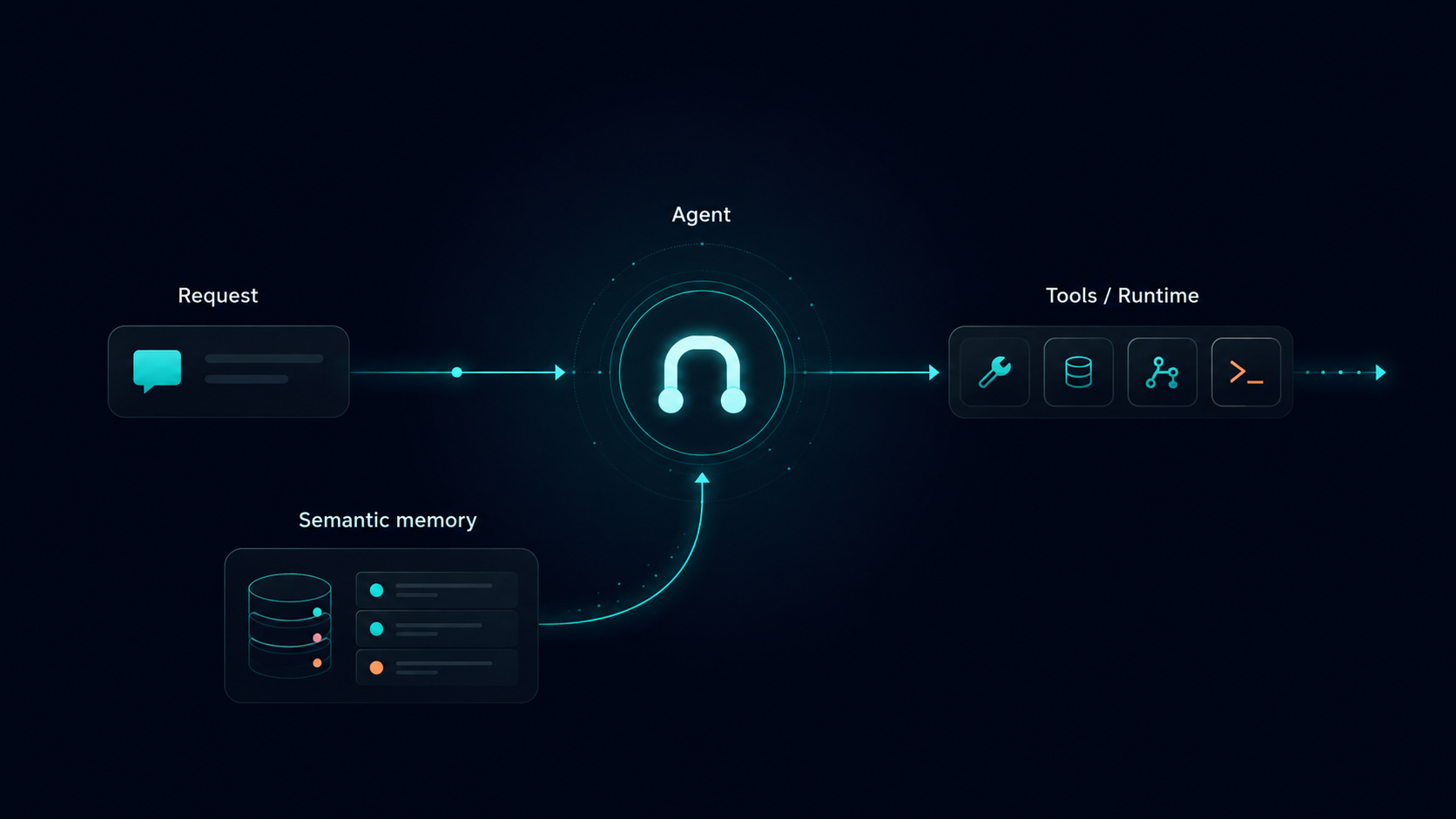
Semantic memory is particularly important because it is what lets an agent remember facts that should matter later. This usually means facts, preferences, entities, prior decisions, and domain knowledge that should survive beyond a single prompt.
Modern agent orchestration frameworks should support this split. For example, the Agentspan library includes a ConversationMemory class for chat history and SemanticMemory for long-term knowledge retrieval.
Separately, Agentspan’s server runtime records server-side execution state, tool history, execution IDs, and UI-visible run details.
Implementing semantic memory in agents
The most useful pattern for implementing semantic memory is to expose it as a tool. That lets the agent decide when to search memory and what query to use.
Consider the following example:
from agentspan.agents import Agent, AgentRuntime, tool
from agentspan.agents.semantic_memory import SemanticMemory

memory = SemanticMemory(max_results=3)

memory.add(
    "Alice is on the Enterprise plan and prefers email updates.",
    metadata={"type": "customer_profile", "customer_id": "cust_001"},
)
memory.add(
    "Alice's last billing issue involved invoice #1042.",
    metadata={"type": "support_history", "customer_id": "cust_001"},
)

@tool
def recall_customer_context(query: str) -> str:
    """Retrieve relevant customer context from memory."""
    return memory.get_context(query)

agent = Agent(
    name="support_assistant",
    model="openai/gpt-4o-mini",
    tools=[recall_customer_context],
    instructions=(
        "Answer support questions using tools for customer context. "
        "Only use remembered context when it is relevant to the current request."
    ),
)

with AgentRuntime() as runtime:
    result = runtime.run(agent, "Does Alice need priority handling?")
Memory retrieval becomes a specific, structured, and governable tool called by the agent. The result is a cleaner separation between reasoning and context retrieval. The model decides that it needs context, but the application controls how memory is searched and what is allowed to come back.
Moving local memory to production memory
The simplest way to think about agent memory is as two separate concerns: how the agent asks for remembered context, and where that remembered context is actually stored.
Ideally your agent framework separates these into different abstractions. Then your agent can use the same memory interface whether you are testing locally or connecting to a production memory backend.
For a local demo, that memory can live inside the current Python process. The same process can add a fact, search for it later, and return it as context. It’s trivial to set up, but it is not durable storage.
from agentspan.agents.semantic_memory import SemanticMemory

memory = SemanticMemory(max_results=3)

memory.add(
    "Alice prefers email updates.",
    metadata={"customer_id": "cust_001", "type": "preference"},
)

context = memory.get_context("How should we contact Alice?")
In production, the agent-facing code can stay almost the same. The difference is where the memories live. Instead of using the default local store, you connect to a durable backend that can persist memories, retrieve them by relevance, and apply your application’s access rules.
memory = SemanticMemory(
    store=CompanyMemoryStore(),
    max_results=5,
)
That store might use Pinecone, Weaviate, ChromaDB, Qdrant, Mem0, or another vector-capable service. In the above example, Agentspan gives the agent a consistent way to ask for memory. Meanwhile the memory backend controls persistence, retrieval quality, tenant scoping, expiration, and deletion.
Memory is part of agent infrastructure
Semantic memory is critical, required infrastructure for agents that need useful context across sessions, tasks, and failures.
Agentspan’s role is to give developers a clear memory interface and a durable execution runtime around it. You can define memory retrieval as a visible tool call, plug in a production store when needed, and inspect the resulting behavior alongside the rest of the agent execution.
To learn more about Agentspan and get started building durable AI agents, take a look at the following resources: