What Is Conversational Memory? How AI Agents Maintain Context
TL;DR: Conversational memory is the scoped, ordered history that lets an AI agent understand follow-up questions. It is not the same thing as long-term user memory, and it is not an audit log. In Agentspan, you can model it explicitly with ConversationMemory and connect related executions with session_id.
A surprising number of agent failures happen when the user sends a follow-up prompt.
The first request is often cleanly handled. For example, a user might asks the agent to summarize a ticket, check an account, or run a tool. Then the user says, “Actually, make it customer-facing,” or “Use the second account instead,” or “No, I meant staging, not prod”
If the agent treats that message as a brand-new prompt, it has to wrestle with missing information. What is “it”? Which account was second? What did the earlier response say? The model may still answer confidently, but it is now ultimately guessint around missing state.
Conversational memory is the system that prevents that. It gives the agent enough of the active conversation to continue the work without forcing the user to restating all the context the agent needs.
What is conversational memory?
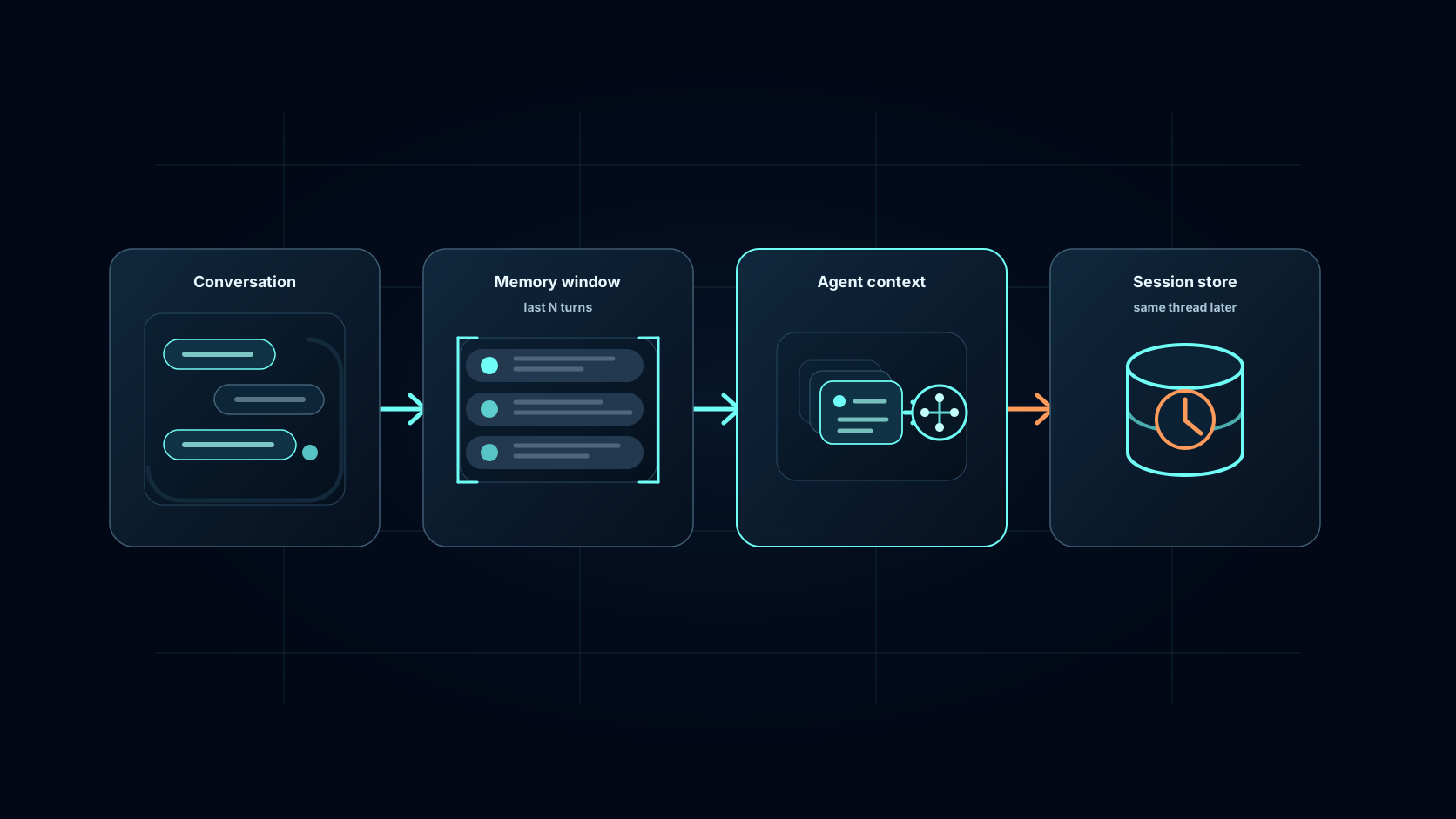
At the simplest level, conversational memory is ordered chat history. It usually includes user messages, assistant messages, system messages, and sometimes tool calls or tool results that matter for later steps.
In production setups however, the above definition is useful but incomplete. A agent needs more than a raw transcript read into a prompt. It needs rules for what should stay in context, where the thread begins and ends, and when conversation history should become some other kind of state.
Consider a support assistant flow:
- “For this ticket, email me the draft” belongs in the current conversation.
- “I always prefer email” may belong in long-term semantic memory.
- “The refund request was approved by finance” belongs in execution state and audit history.
- “The database returned account 3942” may need to remain as a tool result if later reasoning depends on it.
Those distinctions matter because each type of state has different lifecycle rules. Conversational memory is sequential and scoped to the current thread. Semantic memory is retrieved by meaning across longer periods of time. Execution state records what actually happened, including tool outputs, approvals, failures, and resume points.
This is a problem when agents are run at demo-scale - this complexity isn’t always addressed. They show a model answering a follow-up question, but not the machinery deciding which old messages are safe, useful, and relevant enough to show the model.
What good conversational memory has to do
Good conversational memory is structured, scoped, bounded, and inspectable.
Structured means the agent receives messages with roles and order, not a vague paragraph saying “previously, the user said some things.” A role is the label that tells the model what kind of message it is reading. Examples include system, user, assistant, tool_call, or tool. That distinction matters because a system instruction, a user correction, and a tool result should not ultimtely return text with different formats and structure..
Scoped means the memory belongs to the right user, session, tenant, and task. One of the easiest memory bugs to understand is also one of the worst: context from one customer showing up in another customer’s conversation.
Bounded means the application has a policy for limiting the context read in from previous runs. Larger context windows are helpful, but they do not remove the need to choose what belongs in the window in the first place.
Inspectable means developers can see what the model saw. If an agent makes a bad decision, the team needs to know whether the issue was the model, the tool result, the prompt, or the memory passed into the next prompt.
These concerns are showing up across the agent ecosystem. ChatGPT’s memory controls separate saved memories from reference chat history, which is a useful product-level version of the same boundary. The LoCoMo benchmark studies long-term conversational memory across multi-session dialogues, where agents have to answer questions that depend on past interactions rather than one isolated prompt.
There is also a growing body of software around the same problem. MemGPT framed memory as virtual context management, with information moving between the model context and external stores. Letta, which grew out of that work, documents a split between conversation history and searchable long-term storage in its archival memory docs. LangChain has written about memory for agents and LangGraph separates short-term thread state from longer-term memory stores in its memory concepts. Zep, Mem0, and Redis Agent Memory all approach the problem from slightly different angles, but the pressure is the same: agents need context that is durable enough to be useful and scoped enough to be safe.
How Agentspan models conversational memory
In Agentspan, conversational memory has two surfaces.
The first is ConversationMemory, a developer-facing object for the messages you want the model to see as the active thread. It stores messages as dictionaries with role and message fields, plus tool-call fields when you need to preserve tool interactions.
The second is the runtime session. AgentRuntime.run(..., session_id=...) lets related executions share an identity, so a later run can pick up prior messages for the same agent and session instead of starting cold.
That split is intentional. A message list is the model-facing representation of the thread. A session ID is the runtime-facing boundary around related work.
Here is a minimal example of what this might look like.
from agentspan.agents import Agent, AgentRuntime, ConversationMemory

memory = ConversationMemory(max_messages=20)

agent = Agent(
    name="support_assistant",
    model="openai/gpt-4o",
    memory=memory,
    instructions=(
        "Answer support questions using the current conversation. "
        "If the user corrects a detail, use the latest correction."
    ),
)

def ask(runtime: AgentRuntime, prompt: str):
    result = runtime.run(agent, prompt)
    memory.add_user_message(prompt)
    memory.add_assistant_message(result.output["result"])
    return result

with AgentRuntime() as runtime:
    ask(runtime, "My name is Alice. My renewal owner is Dana.")
    result = ask(runtime, "Who owns my renewal?")
    result.print_result()
Two key details to highlight from the above code:
First, ConversationMemory(max_messages=20) bounds the local thread. When the message list grows beyond the limit, Agentspan trims older non-system messages first while preserving system messages before ordinary turns.
Second, memory is explicit. The application decides when to append a user message, assistant message, system message, tool call, or tool result. That is useful because not every byte of an interaction deserves to become context for the next model call.
Agentspan’s current Python ConversationMemory supports:
add_user_message(content)add_assistant_message(content)add_system_message(content)add_tool_call(tool_name, arguments, task_reference_name)add_tool_result(tool_name, result, task_reference_name)to_chat_messages()clear()
Those methods keep the representation structured. The model receives a message history with specified roles and order, not an accidental text dump.
Carrying the conversation across executions
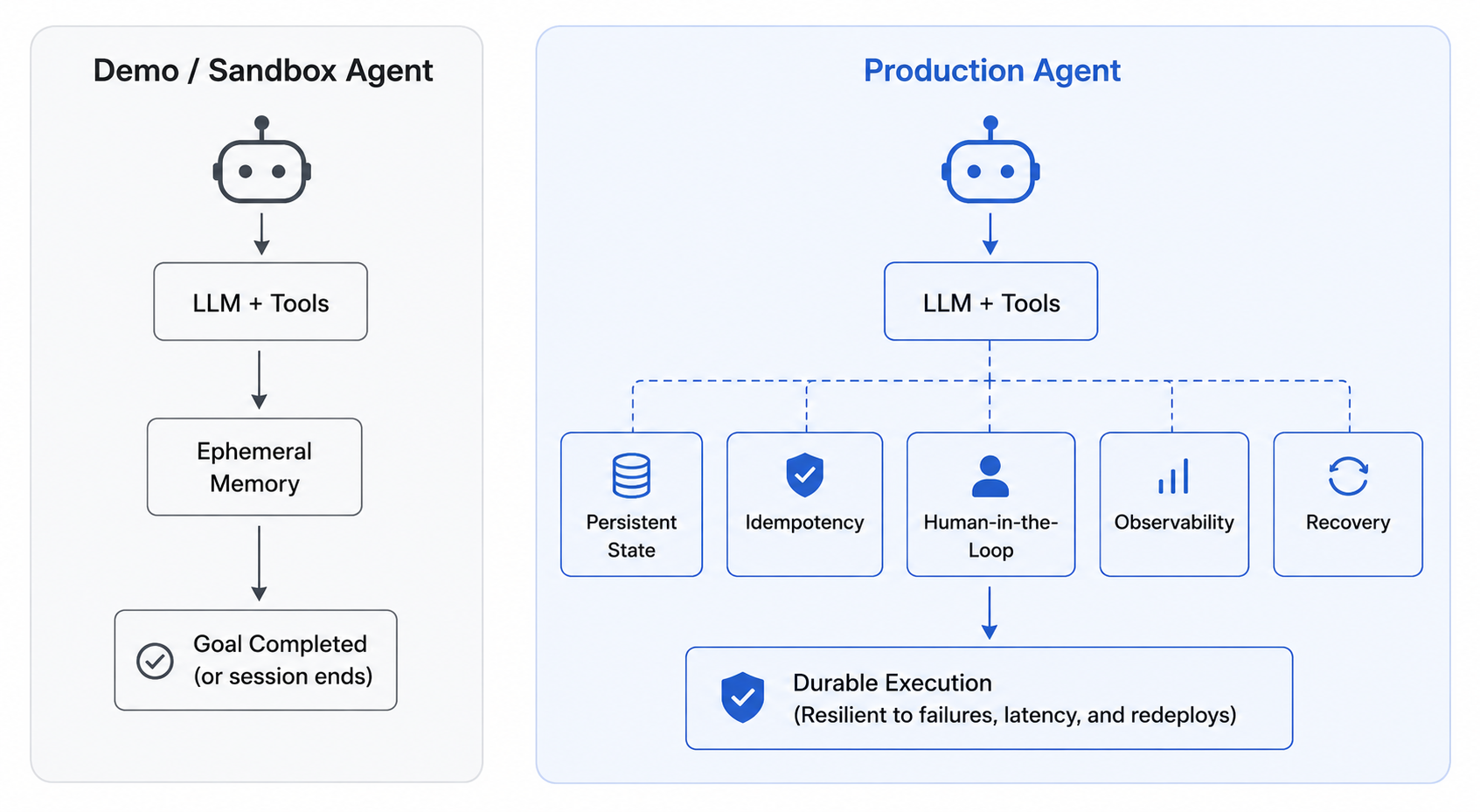
A local object is fine for a local, sandboxed agent. It is not enough for a production agent that may span workers, restarts, deploys, UI interactions, and separate user requests.
For that, Agentspan uses session_id. When you run the same agent with the same session ID, the runtime can look up prior completed executions for that session, extract prior messages, and inject them into the next run.
from agentspan.agents import Agent, AgentRuntime

agent = Agent(
    name="support_assistant",
    model="openai/gpt-4o",
    instructions="Answer in the context of the user's current support thread.",
)

session_id = "customer:alice:renewal"

with AgentRuntime() as runtime:
    runtime.run(
        agent,
        "My renewal owner is Dana. Please keep replies concise.",
        session_id=session_id,
    )

    result = runtime.run(
        agent,
        "Who owns my renewal, and how should you write the reply?",
        session_id=session_id,
    )

    result.print_result()
This is the key element needed for production agents. A message list tells the model what thread it is in. A session ID tells the runtime which executions belong together.
What not to put in conversational memory
Conversational memory should help the agent continue the current interaction. It should not become an unbounded context dump.
Do not put everything in the transcript forever. Old messages can distract the model, leak irrelevant context across tasks, and create strange behavior when stale instructions compete with current instructions.
Do not treat conversational memory as user memory. A conversation may reveal a preference, but the application should decide whether that preference becomes durable semantic memory.
Do not treat conversational memory as audit history. The runtime should retain execution details, but the model does not need every log line in its next prompt.
Safety around conversational memory is becoming more important. Memory Sandbox argues for user-visible controls over what an agent remembers. And PersistBench highlights risks like cross-domain leakage and memory-induced sycophancy in persistent-memory systems.
So more memory is not automatically better! Better-scoped memory is what’s better.
A practical starting point
If you are adding conversational memory to an agent, start with a small set of rules:
- Keep the current thread ordered and role-aware.
- Limit the number of messages that return to the model.
- Keep session boundaries explicit.
- Promote durable facts into semantic memory only when they deserve to persist.
- Keep execution history in the runtime, not in the prompt.
To understand how this is done in Agentspan:
ConversationMemorygives the model the active thread.SemanticMemorygives the agent relevant long-term facts when you choose to expose them.AgentRuntimegives the execution a place to live outside one Python process.
The goal is to make the right context available at the right moment, with enough structure that developers can debug what happened later.
To learn more about Agentspan and get started building durable AI agents, here are some great resources to get you going: